
Improving page speed for SEO in Bangladesh means you must optimise for mobile users and slower, unstable network speeds first (3G/4G). Key steps include compressing images to WebP/AVIF, enabling browser caching, using a CDN to reduce latency, and minifying CSS/JavaScript. Also, choose fast, reliable hosting to keep server response time (TTFB) low, because slow hosting makes every page feel slow.

In this guide, you will learn Core Web Vitals basics (LCP, INP, CLS) with the target scores, how to measure with Google PageSpeed Insights, Lighthouse, Search Console, and CrUX, and what to fix first. Then you will follow a simple order: improve LCP with image and loading fixes, reduce INP by trimming heavy JavaScript and third-party scripts, and fix CLS by reserving space for images and embeds. Finally, you will retest and track results weekly so improvements stay.
To improve page speed for SEO:
-
Optimize for mobile + slow 3G/4G first
-
Focus on Core Web Vitals in order: LCP → INP → CLS
-
Test with PSI (mobile), debug with Lighthouse
-
Confirm real-user results in GSC Core Web Vitals + CrUX
Then fix: -
LCP: WebP/AVIF, remove render blockers, improve TTFB, preload hero
-
INP: reduce JS + third-party scripts
-
CLS: reserve space for media/ads/embeds, stabilize fonts
Retest after each change and track weekly.
Key Takeaways
- Improve page speed for SEO by fixing LCP first, then improving INP, and finally, clean up CLS.
- Use PSI for quick page clues, and then confirm trends in Search Console.
- Use Lighthouse to debug changes, but rely on field data to confirm real progress.
- Use WebP/AVIF and lazy loading to reduce load time on mobile data.
- Add a CDN and fast hosting to cut latency for Bangladesh users.
- Minify and compress files, and then enable caching for faster repeat visits.
Core Web Vitals Explained: LCP, INP, and CLS Basics
Core Web Vitals are Google’s user experience metrics. They measure loading speed, interaction speed, and visual stability.
Here is what they feel like:
- LCP (Largest Contentful Paint): the main content appears late, so the page feels slow.
- INP (Interaction to Next Paint): users tap or click, but the site responds late.
- CLS (Cumulative Layout Shift): the layout shifts, so people misclick and lose trust.
So if you want to improve page speed for SEO, start with LCP, INP, and CLS first.
Core Web Vitals Score Targets: Good vs Poor
Core Web Vitals targets help you quickly spot whether your pages meet Google’s speed and UX standards. So you can see what’s “Good” vs “Needs improvement” and fix the right issue first (LCP, INP, or CLS).
| Metric | What it measures | Good | Needs improvement | Poor |
| LCP | Main content load speed | < 2.5s | 2.5s–4.0s | > 4.0s |
| INP | Interaction responsiveness | < 200ms | 200–500ms | > 500ms |
| CLS | Visual stability | < 0.1 | 0.1–0.25 | > 0.25 |
Now use this quick guide to decide what to fix:
- If LCP fails, start with the hero image, remove render-blocking files, and improve TTFB.
- If INP fails, reduce heavy JavaScript, long tasks, and third-party scripts.
- If CLS fails, reserve space for images, ads, and embeds, and keep fonts stable.
How to Test Website Speed: PSI, Lighthouse, GSC
Measure first, then take action. Start with your key pages: the homepage, a main service page, a top product page, and the contact page.
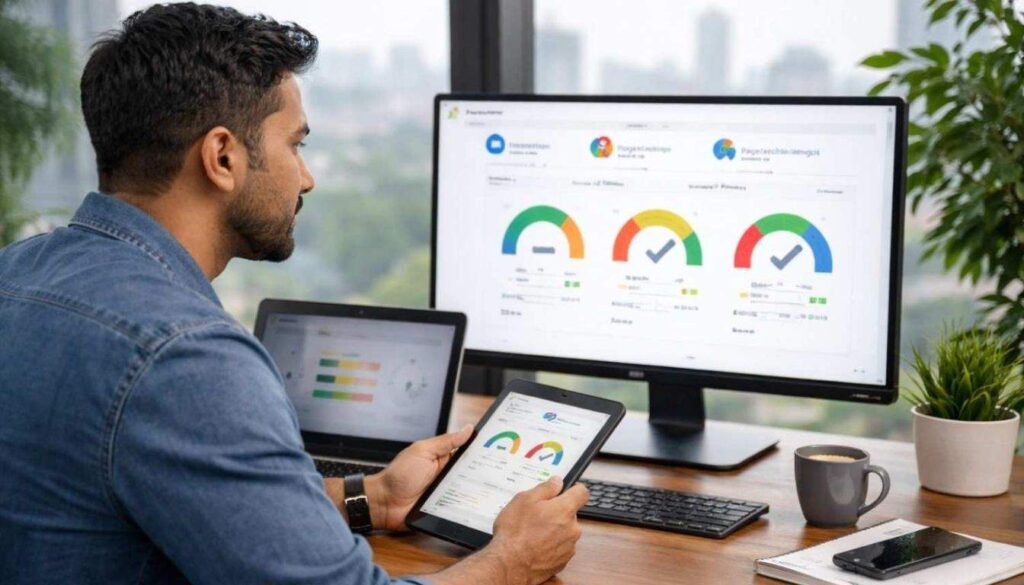
Use this simple workflow:
- First, run Google PageSpeed Insights (PSI) for a quick report and priority fixes.
- Then run Lighthouse in Chrome DevTools to retest while you make changes.
- Next, check Search Console → Core Web Vitals to spot site-wide patterns.
- Finally, review CrUX to confirm real-user trends over time.
If you need deeper detail, use GTmetrix for waterfall clues and WebPageTest to test slow mobile-like networks.
Lab vs Field Data: Why PageSpeed Scores Change
Speed scores can change between tests, and that’s normal. So first separate the data types:
- Lab data (Lighthouse): runs in a controlled setup, so it helps you debug and spot what to fix.
- Field data (Search Console/CrUX): comes from real users, so it confirms real-world performance over time.
That’s why you can pass Lighthouse but still fail Search Console, especially on mid-range phones and mobile data in Bangladesh. So debug with lab data first, and then confirm improvements with field data.
Page Speed Fix Priority: What to Do First
If you try to fix everything, you waste time, and you feel stuck. So follow a clear order that matches impact.
- LCP first (first impression)
- INP second (how fast the site feels)
- CLS third (trust and stability)
Then pick tasks by effort:
- High impact + low effort → do it today
- High impact + higher effort → plan it next
Page Speed Tips for Bangladesh (Mobile + Hosting)
To improve page speed for SEO in Bangladesh, take a local-first approach because mobile data, latency, and hosting choices can change results quickly.
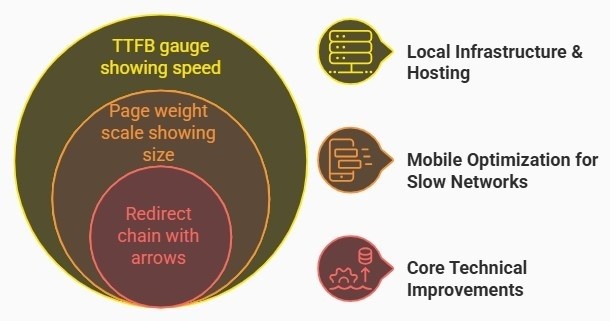
Local infrastructure and hosting
- If your audience is in Bangladesh, host locally or use BDIX to reduce latency and improve TTFB.
- Also, choose fast hosting, since crowded shared plans often slow down at peak hours.
- Then use a CDN like Cloudflare to serve images, CSS, and JavaScript from a closer location.
Mobile optimisation for slow networks
- First, test on 3G/4G-like speeds when possible.
- Next, keep page weight low so mid-range phones load your site faster.
Core technical improvements
- Minify HTML/CSS/JavaScript, and then enable Gzip/Brotli compression.
- After that, set browser caching with Cache-Control (and ETag/Last-Modified when needed).
- Finally, reduce redirects because each extra hop slows the first load.
How to Fix LCP Fast (Images + Loading Time)
LCP usually comes from your hero image, banner, or a large product photo. So if you want faster results, start with images first.
Quick wins
- Convert large images to WebP/AVIF, and then resize them for mobile screens.
- Use lazy loading for below-the-fold images and iframes.
- Remove heavy sliders or unused blocks to reduce requests.
- Also, cut unnecessary redirects on key pages.
WordPress tools (pick one)
- EWWW Image Optimizer
- WP Smush
- TinyPNG (manual or batch compression)
Developer actions
- Use responsive images with srcset and sizes, and preload the hero image when needed.
- Remove render-blocking CSS and trim unused CSS.
- Improve TTFB with better hosting, server caching, and database cleanup.
How to Improve INP (Reduce Interaction Delay)
INP problems usually show up on menus, filters, add-to-cart, and forms. So first test those actions on mobile and notice any delay.

Quick INP Fixes (Easy Checks)
- List third-party scripts (chat, analytics, ads, A/B testing, heatmaps), and then remove what you do not need.
- Next, delay non-critical scripts until after the page becomes usable.
- After that, break long tasks so the main thread stays free.
- Finally, simplify click and input handlers so the site responds faster.
Developer Fixes for INP (JavaScript Cleanup)
- Split JavaScript so each page loads less code, and remove dead code to cut bundle size.
- Use defer for non-critical scripts.
- Move heavy work off the main thread with web workers when needed.
How to Fix CLS (Stop Layout Shifts on Page)
CLS makes a page feel unreliable. Users tap, the layout shifts, and they misclick, so trust drops fast.
Quick CLS Fixes (Prevent Page Jumping)
- Set the width and height for images and videos.
- Reserve space for ads, iframes, and embedded maps.
- Also, keep your header height stable.
Developer Fixes for CLS (Fonts + Layout)
- Reduce font variants and use a steady font-loading setup.
- Preload key fonts when text shifts, or self-host fonts if delivery is slow.
- Finally, stop adding new blocks above the fold after the page loads.
Page Speed Tools and Checklist (Fast Audit)
Use a few trusted tools first, and then act on what they show. This approach helps you improve page speed for SEO without guessing.

Free Speed Test Tools
| Type | Tools | Best use |
| Free | PageSpeed Insights, Lighthouse, Search Console, CrUX | measure, debug, validate |
| Paid (optional) | monitoring tools with alerts | ongoing tracking |
60-Minute Speed Fix Checklist
- Convert large images to WebP/AVIF, and resize for mobile.
- Then turn on lazy loading for below-the-fold images and iframes.
- Next, enable caching + compression (Gzip/Brotli).
- Minify CSS/JS/HTML, and remove unused CSS when possible.
- Remove unused plugins and third-party scripts.
- Finally, reduce redirects and add a CDN (Cloudflare works for many sites).
Retest Core Web Vitals and Track Speed Results
Retest after each meaningful change, and track progress weekly—see our before-and-after results in these case studies.
Use this routine:
- Run PSI after big updates, and use Lighthouse while you work.
- Next, check Search Console Core Web Vitals once per week.
- Finally, review CrUX once per month for real-user trends.
Track only what matters: LCP, INP, CLS, plus TTFB on key pages and mobile bounce rate or conversions. So if results drop, fix one big blocker first, and then retest.
Frequently Asked Questions
How can I improve page speed for SEO in Bangladesh?
Start with PSI and Search Console on mobile. Then fix LCP first with image optimisation, fewer render blockers, and better TTFB. Next, reduce INP by trimming JavaScript and third-party scripts. After that, fix CLS by reserving space for media and embeds.
What are good Core Web Vitals scores for LCP, INP, and CLS?
Aim for LCP under 2.5 seconds, INP under 200ms, and CLS under 0.1.
Why does my PageSpeed Insights score change every time?
Network conditions and device limits can change results. So use Lighthouse for repeat lab tests, then use Search Console and CrUX to confirm real-user trends.
Why do I pass Lighthouse but fail Search Console Core Web Vitals?
Lighthouse runs a controlled test. Search Console reflects real users, including slower phones and mobile data users in Bangladesh.
What should I fix first to improve page speed?
Start with LCP on your top pages. Then handle INP. Then handle CLS.
Next Steps to Improve Page Speed for SEO
Start with three actions today: compress and resize images, remove unused scripts, and turn on caching. Then follow the fix order, and retest after each change so you can see what worked.
If you want to improve page speed for SEO with a clear plan for your top pages, Branding Dask can review your Core Web Vitals report and share a simple next-step checklist.

Business Growth Expert with 7+ years of experience driving scalable growth through full stack digital marketing, including SEO, SEM, paid ads, AI automation, and content led strategies.