
Improving page speed for SEO in Bangladesh means you must optimise for mobile users and slower, unstable network speeds first (3G/4G). Key steps include compressing images to WebP/AVIF, enabling browser caching, using a CDN to reduce latency, and minifying CSS/JavaScript. Also, choose fast, reliable hosting to keep server response time (TTFB) low, because slow hosting makes every page feel slow. In this guide, you will learn Core Web Vitals basics (LCP, INP, CLS) with the target scores, how to measure with Google PageSpeed Insights, Lighthouse, Search Console, and CrUX, and what to fix first. Then you will follow a simple order: improve LCP with image and loading fixes, reduce INP by trimming heavy JavaScript and third-party scripts, and fix CLS by reserving space for images and embeds. Finally, you will retest and track results weekly so improvements stay. To improve page speed for SEO: Optimize for mobile + slow 3G/4G first Focus on Core Web Vitals in order: LCP → INP → CLS Test with PSI (mobile), debug with Lighthouse Confirm real-user results in GSC Core Web Vitals + CrUXThen fix: LCP: WebP/AVIF, remove render blockers, improve TTFB, preload hero INP: reduce JS + third-party scripts CLS: reserve space for media/ads/embeds, stabilize fontsRetest after each change and track weekly. Key Takeaways Azmirul ImranBusiness Growth Expert with 7+ years of experience driving scalable growth through full stack digital marketing, including SEO, SEM, paid ads, AI automation, and content led strategies. brandingdask.com.bd

How to Fix Duplicate Content in Bangladesh Step by Step
Fixing duplicate content in Bangladesh, especially for local eCommerce and content-heavy websites, needs a mix of technical SEO, content management, and plagiarism monitoring. Duplicate content can be internal (similar pages on your site) or external (scraped by others), and it can confuse Google, split ranking signals, and waste crawl budget. In this guide, you will learn how to fix duplicate content step by step using canonical tags (rel=canonical), 301 redirects, and content cleanup (merge, rewrite, prune, or noindex). You will also learn how to spot issues like “Duplicate without user-selected canonical” in Google Search Console, confirm the correct page in URL Inspection, and apply Bangladesh-focused examples for WordPress archives, product descriptions, and city pages like Dhaka, Chattogram, and Sylhet. Key Takeaways What Is Duplicate Content in SEO and Why It Matters Duplicate content means the same, or very similar, content appears on more than one URL. So Google must choose which version to index, and that choice may not match your goal. When duplicates spread across URLs, Google can split ranking signals. As a result, your best page may not rank, and similar pages can compete for the same keyword. Also, crawl time gets wasted on repeats, which can slow down indexing. This issue is common in Bangladesh because many sites use WordPress and eCommerce templates, and teams publish fast. So small URL variations can create duplicates before anyone notices. Common Causes of Duplicate Content in SEO (URL & CMS) Duplicate content usually starts from URL settings and CMS-generated pages. So if you fix these root causes, you reduce duplicates and make how to fix duplicate content much easier. URL variants (HTTP/HTTPS, www/non-www, trailing slash) Small URL differences can create multiple versions of the same page, such as: Google can treat each version as a separate URL. So you should pick one preferred format (HTTPS + your www rule + one slash rule) and keep it consistent. UTM Parameters, Filters, and Pagination Duplicates Tracking helps marketing, yet it can create many URL versions, like: Filters and pagination (like page=2) can also create duplicates. So keep tracking for reporting, but guide Google to index the clean main URL instead of parameter URLs. WordPress Archives and Other CMS Duplicate Pages WordPress can create near-duplicate pages through: City-based service pages in Bangladesh can help local SEO, but copied templates can cause duplication. So add unique details for each location page instead of swapping only the city name. How to Find Duplicate Content in Google Search Console Start with quick checks, and then confirm in Google Search Console because it shows what Google actually indexes. This helps you plan how to fix duplicate content without guessing. Quick Free Checks to Spot Duplicate Pages Optional Tools to Find Duplicates Faster If you want a full SEO audit for duplicate content, our SEO services in Bangladesh can help. Google Search Console checks Canonical Tag vs 301 Redirect: What Should You Use? Use this table to choose the right method for how to fix duplicate content. It keeps your fix simple, and it helps Google index the correct URL. Situation Best Fix What it does Avoid You keep similar pages for users (filters, print pages, variants) Canonical tag Points Google to one preferred URL Canonical to a redirect, 404, or noindex page You want one final URL for users and Google 301 redirect Sends users and signals to one URL Redirect chains and loops Pages compete or feel too similar Content cleanup Builds a stronger page Keeping both pages unchanged Low-value pages get indexed Noindex (or cleanup) Keeps low-value pages out of search Using robots.txt only Quick Decision Flow: Canonical or Redirect? How to Add Canonical Tags to Fix Duplicate Content A canonical tag tells Google which URL is the main version. So it works best when you keep similar pages for users, but you want one preferred URL in search. Do Example: <link rel=”canonical” href=”https://example.com/main-page/” /> Don’t When to Use 301 Redirects for Duplicate Content A 301 redirect sends one URL to another permanently. So use it when you want one final page, and you no longer need the duplicate URL. Use 301 redirects when Redirect hygiene checklist Mini example (old → new): Content Cleanup to Fix Duplicate Content (Merge & Noindex) Content cleanup helps when pages feel too similar and compete in Google. You can also check our case studies to see how fixes improve performance. Merge Similar Pages Into One Strong Page Rewrite Pages That Must Stay Separate Paraphrasing alone usually fails. Instead, rewrite with a new angle and unique details. Bangladesh example: “SEO Service in Dhaka” and “SEO Service in Chattogram” can stay separate, yet each page needs different FAQs, different process notes, and different local context. Remove Thin Duplicate Pages (Prune) Noindex Low-Value Pages You Still Need Fix External Duplicate Content (Scraped or Syndicated) Check Duplicate Content Issues in Google Search Console After you apply fixes, confirm the result in Google Search Console so you do not guess. This step shows whether Google accepts your canonical and redirect signals. Validation checklist Fix “Duplicate without user-selected canonical” Google found similar URLs but did not see your preferred version. So add a canonical on variants or redirect them to the main URL, and then check URL Inspection again. Fix “Google chose different canonical than user” This usually means mixed signals. So align internal links, sitemap URLs, and redirect rules with the preferred URL, and then test again. Bangladesh Note: Merge Duplicate Google Maps Listings If you see duplicate Google Maps listings for the same business, request a merge in Google Business Profile to protect local visibility. How to Prevent Duplicate Content Problems in Future Once you know how to fix duplicate content, the next goal is to stop it from coming back. So keep a simple routine and follow a few publishing rules. Monthly checks (10 minutes) Publishing rules for your team Frequently Asked Questions What does “Duplicate without user-selected canonical” mean? Google found similar URLs and did not see a preferred version
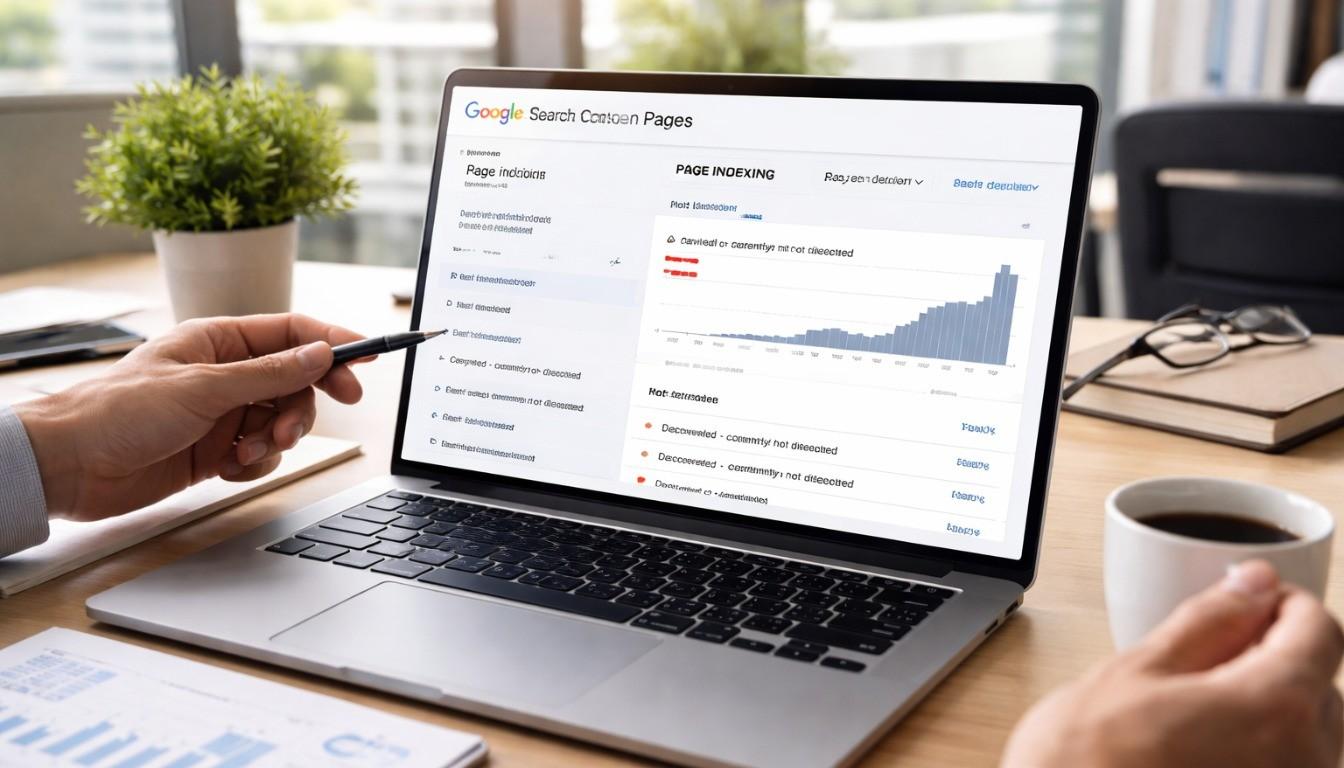
Pages Not Indexed? Fix Indexing Issues in Google Search Console
Fixing Google indexing issues in Bangladesh needs three things: clean technical SEO, strong content quality, and the right steps in Google Search Console (GSC). Start with GSC → Indexing → Pages to find the exact “Not indexed” reason, then use URL Inspection to confirm noindex tags, robots.txt blocks, canonical mismatch, redirects, and soft 404 or thin content signals. Next, fix the root cause, submit an updated XML sitemap with only indexable URLs, improve internal linking from strong pages, and request indexing for the most important URLs. This guide shows how to fix indexing issues in Google Search Console step by step, and many new sites in Bangladesh see updates within 24–72 hours after fixes. Key Takeaways Azmirul ImranBusiness Growth Expert with 7+ years of experience driving scalable growth through full stack digital marketing, including SEO, SEM, paid ads, AI automation, and content led strategies. brandingdask.com.bd

How to Fix Traffic Drop in Bangladesh: SEO Recovery Checklist
To fix a traffic drop in Bangladesh, first confirm the drop in Google Search Console (GSC) by comparing the last 28 days with the previous period and checking if it is sitewide or page-level. Next, check manual actions, security issues, indexing, and key technical problems like speed, mobile usability, robots/noindex, canonicals, redirects, and 404/5xx errors. Then match the timing with possible Google algorithm updates, refresh stale content to improve E-E-A-T, and build high-quality local backlinks. Finally, track recovery weekly in GA4 and GSC, so you can see what works and how to fix traffic drop safely. Key Takeaways Frequently Asked Questions Next Steps After a Traffic Drop You can recover from most traffic drops when you follow the proof and a clear order. First, confirm the drop in GSC and GA4. Next, check the scope and root cause, then fix technical blockers. After that, refresh content for intent match and Bangladesh relevance, and monitor results weekly. If you suspect a Google update, follow Google’s core updates guidance If you want a checklist-first plan on how to fix traffic drop for a Bangladesh website, Branding Dask can help with an SEO audit and a clear recovery action plan. Azmirul ImranBusiness Growth Expert with 7+ years of experience driving scalable growth through full stack digital marketing, including SEO, SEM, paid ads, AI automation, and content led strategies. brandingdask.com.bd

How to Create a Topical Map in Bangladesh | Step-by-Step
Creating a topical map in Bangladesh means structuring your website content to cover one niche fully, so Google sees your site as a trusted source (topical authority). Many sites publish often, yet Google still finds the topic unclear because pages do not connect. A topical map solves this by grouping related topics into pillar pages and cluster pages. In this guide from Branding Dask, you will learn how to create a topical map by choosing one niche, expanding subtopics with Google PAA and local queries, grouping by search intent, planning internal links, and publishing in priority order. Then you update the map every 2–3 months using trends and Google Search Console. Key Takeaways Frequently Asked Questions Next Steps: Topical Map for Bangladesh A topical map turns scattered posts into a clear content hub, so Google can understand your main topic and readers can find answers faster. Now, if you want to scale rankings in Bangladesh, start with one focused pillar page and 6–12 cluster pages, then follow your internal linking rules and 30–60–90 day plan. Track progress using the Google Search Console Performance report. If you want help, Branding Dask can support your Bangladesh-focused plan and show you how to create a topical map with the right page structure, intent labels, and internal links, so your team can publish with more clarity. Azmirul ImranBusiness Growth Expert with 7+ years of experience driving scalable growth through full stack digital marketing, including SEO, SEM, paid ads, AI automation, and content led strategies. brandingdask.com.bd

Internal Linking Strategy for SEO in Bangladesh Step-by-Step
Internal linking strategy for SEO in Bangladesh means connecting your pages with a clear hierarchy (Home → Category → Post/Service), topic clusters (pillar page + supporting posts), and descriptive anchor text. It helps Googlebot crawl and index faster, fixes orphan pages, and passes link equity from high-authority pages to priority local pages like “SEO services in Dhaka,” while keeping links mobile-friendly and 3–10 per page. Key Takeaways Azmirul ImranBusiness Growth Expert with 7+ years of experience driving scalable growth through full stack digital marketing, including SEO, SEM, paid ads, AI automation, and content led strategies. brandingdask.com.bd

On-Page SEO Checklist 2026: Bangladesh Quick Guide
In 2026, on-page SEO in Bangladesh focuses on user-first content, E-E-A-T signals, and AI-friendly structure. So you need a simple checklist that improves mobile UX, page speed, and clear headings. If you search “On-Page SEO Checklist in Bangladesh 2026,” you want a step-by-step workflow to optimize one page for rankings and clicks. This guide covers intent, short URLs, the primary keyword in the first 100 words, title, and meta for CTR, clean H1–H3 structure, internal links, JSON-LD schema, and Core Web Vitals. Apply it in 30–60 minutes, then measure in Search Console and GA4. Key Takeaways Frequently Asked Questions Final Checklist Recap and Next Steps This On-page SEO checklist 2026 helps you rank and earn clicks in Bangladesh by improving intent match, content quality, titles, headings, links, schema, UX, and mobile speed. Then, use Google Search Console and GA4 to track results, so you keep the changes that bring real leads. Now pick one page that already gets impressions in Search Console. Apply the checklist today, and review CTR next week. If you want a second review for Bangladesh-focused pages, Branding Dask can share a simple action plan based on your data. Azmirul ImranBusiness Growth Expert with 7+ years of experience driving scalable growth through full stack digital marketing, including SEO, SEM, paid ads, AI automation, and content led strategies. brandingdask.com.bd
Keyword Research Bangladesh: Bangla + English Strategy
Effective Keyword Research Bangladesh needs a dual-language approach because people in Bangladesh search in Bangla (Unicode), English, and Banglish (Romanized Bangla). Start by collecting all three, then use Google Trends and Keyword Planner with the location set to Bangladesh to spot high-volume, low-competition terms. Next, confirm phrasing with Google Autocomplete, People Also Ask, and Search Console, tag search intent (informational/commercial/transactional), and add local modifiers like Dhaka, Chattogram, Sylhet, plus near me/price/best to build topic clusters that rank and convert. At Branding Dask, we use this exact process to turn keyword lists into a ready keyword sheet, intent map, and publish plan that matches how people search in Bangladesh. Key Takeaways Use English for formal, technical, and international search terms, so you match how people search for professional topics. Use Bangla for daily, local, and conversational queries, because it builds trust and fits local intent. Use Banglish for Roman-letter searches on mobile, since many users type Bangla in English letters. Focus on long-tail keywords first, because they usually convert better and face less competition. Add city and area modifiers when the location changes, such as Dhaka, Chattogram, or nearby areas. Finally, validate intent by checking page-1 results, and then match your page format to what Google ranks. Start Keyword Research in Bangladesh in 10 Minutes This section gives you a quick, beginner-friendly path to start keyword research in Bangladesh. You will build a simple list that matches how people search in Bangla, English, and mixed typing. First, create one sheet with three keyword types: English, Bangla (Unicode), and Banglish. Then tag each keyword by intent and group them into one pillar page with a few supporting pages, so each page targets one main keyword clearly. Many tools show low data for Bangladesh queries, especially for Bangla and city keywords. Still, people search these terms daily, so use Google Autocomplete, People Also Ask, and related searches first, and then confirm performance in Google Search Console. If you want expert support to apply this workflow, check our SEO services in Bangladesh. What Keyword Research Means for Bangladesh SEO Keyword research for Bangladesh means finding the exact words people in Bangladesh type on Google when they need something. So, you should not rely on one language only. Instead, collect keywords in three common forms: English keywords for tech, business, and study-related terms Bangla (Unicode) keywords for local services, culture, and everyday needs Banglish keywords for casual searches where people type Bangla using Roman letters Next, match each keyword to search intent. One topic can have many variants, but one page should target one intent, so Google understands it and the right visitors turn into leads. Why Bangla + English Keywords Work in Bangladesh In Bangladesh, people search in more than one language, so a single-language keyword list often misses real demand. That is why you need to target Bangla and English together to match how users actually type and decide. Mobile-first search in Bangladesh Most searches happen on mobile, so people keep queries short and often make typos. Because of mobile keyboards, Banglish also appears a lot, and voice-style questions show up more than you might expect. So, plan your keyword research around real mobile behavior, not perfect spelling. Local buying keywords (eCommerce + services) Buyers in Bangladesh often use modifiers like price, best, review, and near me, and they also mix languages in the same query. For example, one person may search “best smartphone under 15000 in Bangladesh”, while another searches “কম খরচে মোবাইল”, and someone else types “kom khoroche mobile.” Since the buying goal stays the same, you should include these long-tail phrases and local intent signals in your keyword list. Transliteration and Keyword Variations (Banglish) Many people in Bangladesh type Bangla using English letters, so Banglish often means the same thing as Bangla script. For example, these can point to one intent: Bangla (Unicode): “কম খরচে মোবাইল” Banglish: “kom khoroche mobile” English: “budget smartphone” So, keep them in one row in your keyword sheet when the intent stays the same. Then use the most natural version in your title, and add close variants naturally in the body text and FAQs. Also, capture common variations like Chittagong/Chattogram, area names like Banani/Gulshan, and phonetic spellings like bazar/bajar. Because mobile typing changes spacing, keep a simple “variants” column so you cover real searches without making extra pages. Quick checklist Start with one seed in Bangla and English Then check Autocomplete, People Also Ask, and related searches Next, add Banglish and typo variants Finally, keep only the variations with the same intent Step-by-Step Keyword Research for Bangladesh SEO This section shows a simple workflow you can repeat for any niche in Bangladesh. If you follow these steps in order, you will get a clean keyword list and a clear content plan that matches real search intent. Step 1 — Expand keywords (Autocomplete + PAA) First, take your seed topics and expand them using Google Autocomplete and People Also Ask. Then repeat the same checks in English, Bangla (Unicode), and Banglish, so you capture how people actually type. Next, save question-style keywords, because they often become strong H2 headings and FAQs for AI Overview and zero-click results. Step 2 — Filter by intent (SERP check) Now tag each keyword by intent: informational, commercial, transactional, or navigational. After that, open the SERP and confirm what Google ranks for that query. For example, “laptop price Bangladesh” usually needs quick comparisons, so a page with prices, specs, and models will fit better than a long story-style article. Also, keep high-intent keywords even if volume looks small, because low volume can still convert well. Step 3 — Map to pages (clusters + links) Finally, assign one primary keyword to one page, and keep close variations as supporting terms inside that page. Then build one pillar page and a few supporting pages that link back to it. This way, your content stays organized, and Google can understand your topic coverage faster. Search Intent Mapping for Bangladesh Keywords Before you write,

How to Do an SEO Audit: Step-by-Step Checklist
An SEO audit is a step-by-step check of your website’s technical SEO, on-page SEO, content, internal links, and backlinks, so you can find what stops your site from ranking on Google. If you want to know how to do an SEO audit in a simple, safe order, Branding Dask recommends starting with Google Search Console to review index coverage and crawl errors. Next, check Core Web Vitals and mobile speed, then audit titles, headings, duplicate content, internal links, and backlinks in that order. Finally, create a fix-first priority plan and an SEO audit report; a small website audit often takes 2–6 hours. Key Takeaways First, start your SEO audit in Google Search Console, then confirm improvements after fixes. Next, fix indexing and crawl issues, then improve Core Web Vitals for mobile users. Then polish on-page SEO (titles, headings, intent match) and update weak content. After that, strengthen internal links so that important pages are easier to find. Finally, use an Impact vs Effort plan to decide what to fix first. Start Here: 10-Minute SEO Audit Quick Checklist Start here if you want quick signals before a full audit. First, you will spot the biggest blockers. Then, you will know what to fix first. 10-minute quick checklist Open Google Search Console → Pages, then note the top “Not indexed” reasons. Next, open Experience → Core Web Vitals, then list any “Poor” URL groups. After that, open Performance, then compare the last 28 days with the previous 28 days. Then check 3 key pages for title tag, H1, and meta description. Finally, test one key page in PageSpeed Insights (mobile). If you want expert help after this quick check, explore our SEO services in Bangladesh. What Is an SEO Audit? Simple Definition An SEO audit is a structured website check that shows what blocks your pages from ranking on Google. First, it reviews technical SEO like crawlability, indexability, redirects, canonical tags, and Core Web Vitals. Next, it checks on-page SEO, content quality, internal links, and your backlink profile. Then, you turn the findings into a simple fix plan. Short definition box An SEO audit checks what stops your site from ranking and what to fix first. It covers crawlability, indexing, speed, content quality, and links. Why SEO Audits Matter: Key Benefits An SEO audit helps you spot ranking blockers early, so you fix the right things first. It also gives you a clear action list instead of guesswork. Benefit 1: Fix Indexing & Crawl Issues Fast Indexing issues stop your pages from showing on Google. So, start with Google Search Console checks like index coverage, crawl errors, URL Inspection, and soft 404 signals. In Bangladesh, WordPress sites often face wrong noindex settings, duplicate URLs, and messy parameters. Because of that, these fixes can bring quick gains. Benefit 2: Improve Mobile Speed (Core Web Vitals) Most users browse on mobile, so speed matters. Core Web Vitals checks help you reduce slow loading, delayed taps, and layout shifts. Next, improve results with smaller images, fewer heavy scripts, better caching, and faster hosting. Want proof that these fixes work? See our SEO case studies. SEO Audit Tools You Need, Mostly Free You can run a solid SEO audit with mostly free tools. First, make sure you have access, then start with the core set. Core tools Google Search Console (Pages, Performance, Core Web Vitals, URL Inspection) Google Analytics (organic trends, landing pages, conversions) PageSpeed Insights (mobile speed + Core Web Vitals) A crawler like Screaming Frog (broken links, redirects, duplicate pages) Optional tools A backlink tool for referring domains and anchor text checks A keyword gap tool to compare competitors and find missing keywords SEO Audit Step-by-Step Order for Beginners This step-by-step order helps you fix the biggest SEO blockers first. First, you will confirm technical health and indexing. Next, you will improve speed for mobile users. Then, you will polish on-page SEO and content, and finally, you will add Bangladesh local checks and a simple action plan. Step 1 — Technical SEO and Indexing Checks First, open Google Search Console → Pages and list the top Not indexed reasons. Next, use URL Inspection on your most important pages to confirm indexing signals and the selected canonical. Check indexation and crawling issues (coverage reasons + crawl errors) Review robots.txt and meta robots (index/noindex) Confirm XML sitemap submission and fix sitemap errors Fix redirect chains/loops and use 301 where needed Review canonical tags and remove conflicts Clean duplicate versions (HTTP/HTTPS, WWW/non-WWW) and messy URL parameters Confirm HTTPS security (valid SSL and secure site version) If you want to know how to do an SEO audit properly, start here, because indexing and crawl issues block everything else. Step 2 — Mobile-Friendliness and Core Web Vitals Next, confirm your site works well on mobile, since Google uses mobile-first indexing. Then check Core Web Vitals in Search Console and test key pages in PageSpeed Insights (mobile). Verify the site is responsive and usable on mobile Improve page speed and aim for fast loading (often under ~3 seconds) Focus on Core Web Vitals: LCP: compress images and reduce heavy scripts INP: reduce JavaScript bloat and long tasks CLS: set image sizes and stabilise layouts Step 3 — On-Page SEO Essentials Then review what users see in search results and on your pages. Start with titles and headings, since they affect clicks and relevance. Titles: keep them clear and usually under ~55 characters Meta descriptions: keep them useful and usually under ~155 characters Use one H1, then keep a clean H2/H3 structure Improve internal linking so users can reach key pages fast Add descriptive image alt text where it helps Step 4 — Content and Keyword Checks (English + Bangla if needed) Next, check content quality and keyword targeting. In Bangladesh, many sites rank with English keywords, yet Bangla keywords can help based on your audience. Improve content relevance and usefulness Check for thin pages and overlap, then refresh or merge pages Target the right keywords, including local intent terms

How Long SEO Takes in Bangladesh
SEO usually takes 3 to 6 months to show noticeable results, depending on competition, website quality, and consistency. New websites may take longer, while established sites with proper optimization can see early improvements within 8–12 weeks. Long-term, stable results typically build over 6–12 months. Timeline by Months with Expected Results Timeline Expected Results 0–3 Months Fix technical issues, improve pages, and publish the first set of content 3–6 Months Rank for easier keywords, grow clicks, improve impressions 6–12 Months Compete for core keywords, increase leads, and track clearer ROI Factors That Affect SEO Results Website Age and Authority Older websites often rank faster because Google already trusts them. Meanwhile, new websites need time to build signals like content depth, internal links, and brand mentions. Content Quality and Keyword Optimisation Good content answers real questions clearly. So, you should write for people first and place keywords naturally in headings, intro, and key sections. Backlinks and Local Competition Backlinks act like confidence signals from other sites. However, tough niches in Dhaka, Chattogram, or Sylhet may need stronger content and smarter outreach. Budget and Resource Allocation SEO moves faster when you invest consistently. For example, regular content updates and basic tools can improve results more than one-time changes. Step-by-Step SEO Process for Bangladeshi Businesses Step 1: Initial Website Audit and Setup Start with a technical audit. Check indexing, mobile usability, page speed, broken links, and Core Web Vitals. Then, fix the basics first, because content cannot perform on a weak foundation. Step 2: Keyword Research and Content Planning Choose keywords based on how Bangladeshi customers search. For example, include city intent like “in Dhaka” or “near me” when it fits. Next, plan content around services, FAQs, pricing questions, and comparison topics. Step 3: On-page and Technical SEO Implementation Optimise titles, meta descriptions, headings, URLs, images, and internal links. Also, keep each page focused on one clear search intent. Then, improve speed and mobile experience, because most traffic in Bangladesh comes from phones. Step 4: Off-page SEO and Local SEO Optimisation Build relevant backlinks from trusted local sources, niche blogs, and business directories. At the same time, improve your Google Business Profile and keep your NAP consistent (Name, Address, Phone). Local SEO in Bangladesh Local SEO helps you show up when people search in a specific city or area. So, if you serve Dhaka, you should target Dhaka-based keywords and location pages. Also, collect reviews, add real photos, and post updates on your Google Business Profile. If your audience prefers Bangla, create Bangla pages too. Common SEO Mistakes and Myths Myth 1: Expecting Immediate Results SEO rarely works in a few days. Instead, it builds momentum through repeated improvements. Myth 2: Ignoring Local SEO Factors If you skip Google Business Profile, reviews, and local citations, you lose local visibility. So, you should treat local SEO as a core part of your plan. Myth 3: Focusing Only on Backlinks or Paid Ads Backlinks help, but content and technical SEO still matter. So, use a balanced approach to get stable rankings. Examples, Quotes & Case Studies A small Dhaka e-commerce shop improved traffic after publishing helpful category pages and fixing technical issues. Then, it grew faster when it added buyer-focused blogs and earned a few relevant backlinks. Here’s a simple truth many SEO teams follow: “SEO rewards consistency, not shortcuts.” A Chattogram service business also increased leads by adding city-specific pages and improving its Google Business Profile with reviews and updated photos. Tools and Checklist for Tracking SEO Use these tools to measure progress without guessing: Google Search Console – Track indexing, queries, clicks, and errors Google Analytics – Track traffic, engagement, and conversions Monthly SEO Progress Checklist Review keyword trends and top pages Update older content with fresh details Improve internal links between related pages Add a few high-quality backlinks or citations Optimise Google Business Profile posts and reviews FAQ Section Q1: How long will it take for my website to rank in Bangladesh? Most sites see early improvements in 3–6 months, and stronger results in 6–12 months. Q2: What slows down SEO results? Weak content, technical issues, poor internal linking, and high competition slow results. Q3: Can small businesses see results faster? Yes. Local SEO and long-tail keywords often bring faster wins in 3–6 months. Q4: How often should I track SEO progress? Track monthly so you can adjust content, links, and technical fixes on time. Q5: When should I hire an agency to speed up SEO? Hire help when you lack time, skills, or a consistent plan for content and optimisation. Azmirul ImranBusiness Growth Expert with 7+ years of experience driving scalable growth through full stack digital marketing, including SEO, SEM, paid ads, AI automation, and content led strategies. brandingdask.com.bd