Recovering from a Google algorithm update in Bangladesh takes a structured, long-term approach focused on content quality, user experience, and E-E-A-T (Experience, Expertise, Authoritativeness, Trust). Google increasingly rewards original, experience-based, people-first content and may reduce visibility for pages that feel low-value, repetitive, or created at scale without a clear user benefit.
This guide provides a practical 90-day Google algorithm update recovery plan built for Bangladesh—showing how to find your biggest losing pages and queries, spot SERP intent shifts, improve content trust signals, fix Core Web Vitals and indexing issues, and clean backlinks safely—so you can regain rankings and stay resilient after future updates.
Google Update Recovery Checklist
If your rankings dropped after a Google update, follow this order:
- Triage (7 days in GSC/GA4): First, export your top losing pages and queries, then label intent and note SERP shifts.
- Safety checks: Next, review manual actions, security, and indexing so you’re not fixing the wrong problem.
- Phase 1 (Days 1–30): Then, prioritize the biggest losers and document the most likely root cause for each page.
- Phase 2 (Days 31–90): After that, upgrade content with clear steps, real examples, and trust signals (E-E-A-T).
- Phase 3 (Tech + Links): Meanwhile, improve Core Web Vitals, fix indexing issues, and disavow only confirmed toxic links.
- Phase 4 (Long-term): Finally, track weekly KPIs and build topic clusters to stabilize rankings over time.
Who this is for: Dhaka/Bangladesh local businesses, service sites, and e-commerce stores affected by core/helpful-content shifts.
What you’ll get: A simple triage workflow, a 90-day roadmap, and practical checklists for content, technical SEO, and backlinks.
Key Takeaways
- First, use GSC/GA4 to confirm the drop and pinpoint the pages and queries affected.
- Next, close intent gaps by improving content usefulness and adding clear E-E-A-T trust signals.
- Then, strengthen performance by fixing Core Web Vitals, mobile UX, and indexing issues.
- Finally, clean backlinks carefully (disavow only confirmed toxic links), track weekly KPIs through the next update cycle, and consider SEO services in Bangladesh if you need hands-on support.
Google Algorithm Updates: Why Rankings Change
Google updates its search systems to improve results. Some updates are broad (like core updates), while others focus more on content quality, spam signals, or local intent. So, identifying the likely update type helps you choose the right recovery approach.
Types of Google Updates That Affect Rankings
- Core updates: Reassess overall quality, relevance, and trust.
- Helpful content signals: Reduce visibility for pages that feel low-value or unhelpful.
- Spam/link updates: Target manipulative link patterns and spam networks.
- Local ranking shifts: Affect location-based searches (for example, “in Dhaka”).
- Product review signals: Evaluate review depth, authenticity, and real experience.
Signs Your Site Was Impacted by a Google Update
- A sharp drop in clicks, impressions, or average position in Search Console.
- CTR falls even though impressions stay similar.
- Several important pages decline at the same time, not just one URL.
How to Confirm a Google Update Caused the Drop
Not every traffic decline is an algorithm issue. Before starting Google algorithm update recovery, rule out common non-algorithm issues.
Quick checks (10 minutes)
- GSC → Manual actions: Any penalties?
- GSC → Security issues: Hacked or malware warnings?
- GA4: Did only organic traffic drop, or did all channels decline?
- Recent changes: Redesign, migration, hosting switch, major plugin/theme updates?
- Indexing basics: Robots/noindex/canonical mistakes?
7-Day Google Ranking Drop Checklist Bangladesh
This is the quickest path to clarity—what dropped, where it dropped, and why—so you can enter Phase 1 with clean, prioritized notes (without doing deep fixes yet).
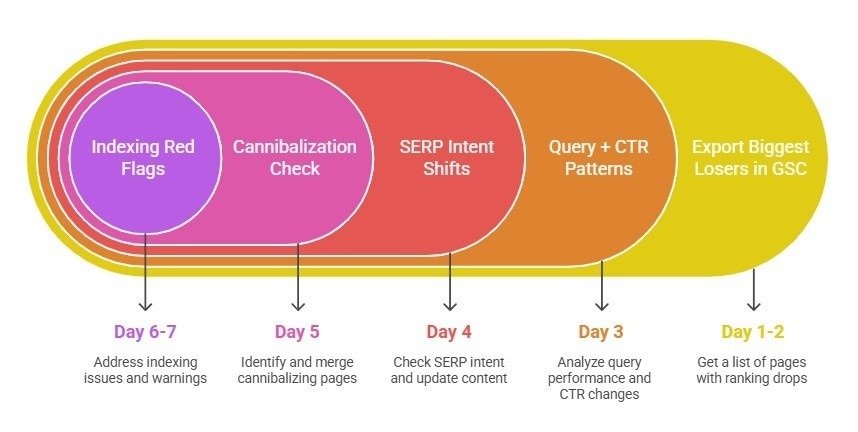
- Your top losing pages + losing queries
- A quick page diagnosis: intent gap/depth gap/CTR gap
- A shortlist of merge candidates (cannibalization) and priority pages
First, export Top Losing Pages (GSC)
In GSC → Performance → Pages
- Compare the last 28 days vs the previous 28 days
- Sort by Clicks difference
- Export the top 10–20 losing URLs
- Tag each URL as Money page / Supporting content / Other
Next, find Query + CTR Patterns
In GSC → Performance → Queries
- Export the biggest-dropping queries
- Label intent: Transactional / Informational / Local
- For each top losing page, note what you see most:
- Position drop (rank fell)
- CTR drop (impressions steady, clicks fell)
- Query shift (new intent your page doesn’t cover)
Then, check SERP Intent Shifts
For each top losing page, compare the top 3–5 results:
- Are they more step-by-step, more example-based, or more updated?
- Did results shift toward lists, guides, local packs, or video?
- Do competitors show stronger experience proof (case studies, screenshots, author details)?
Quick score each page:
- Intent match: Yes/No
- Depth gap: Yes/No
- Trust gap: Yes/No
- CTR/snippet gap: Yes/No
Meanwhile, spot Cannibalization Quickly
- Do two pages target the same intent or compete for similar keywords?
- If yes, shortlist them as merge/redirect candidates (handle in Phase 2).
Finally, log only major indexing red flags
In GSC → Pages / Indexing, note:
- spikes in 404 or 5xx
- important URLs marked “Crawled – currently not indexed”
- obvious robots/noindex/canonical issues (if visible)
Keep this step light—just record what’s clearly broken so Phase 1 can prioritize.
Triage Output Checklist
- Top 10–20 losing pages + type (money/supporting/other)
- Top losing queries + intent label (transactional/informational/local)
- Page diagnosis: intent/depth/trust/CTR gap
- Cannibalization shortlist (merge candidates)
- Key indexing red flags (404/5xx/crawled-not-indexed)
Why Google Rankings Drop After an Update
Most ranking drops usually come from one (or more) of these areas. So, once you spot the pattern, it’s much easier to choose the right fix.
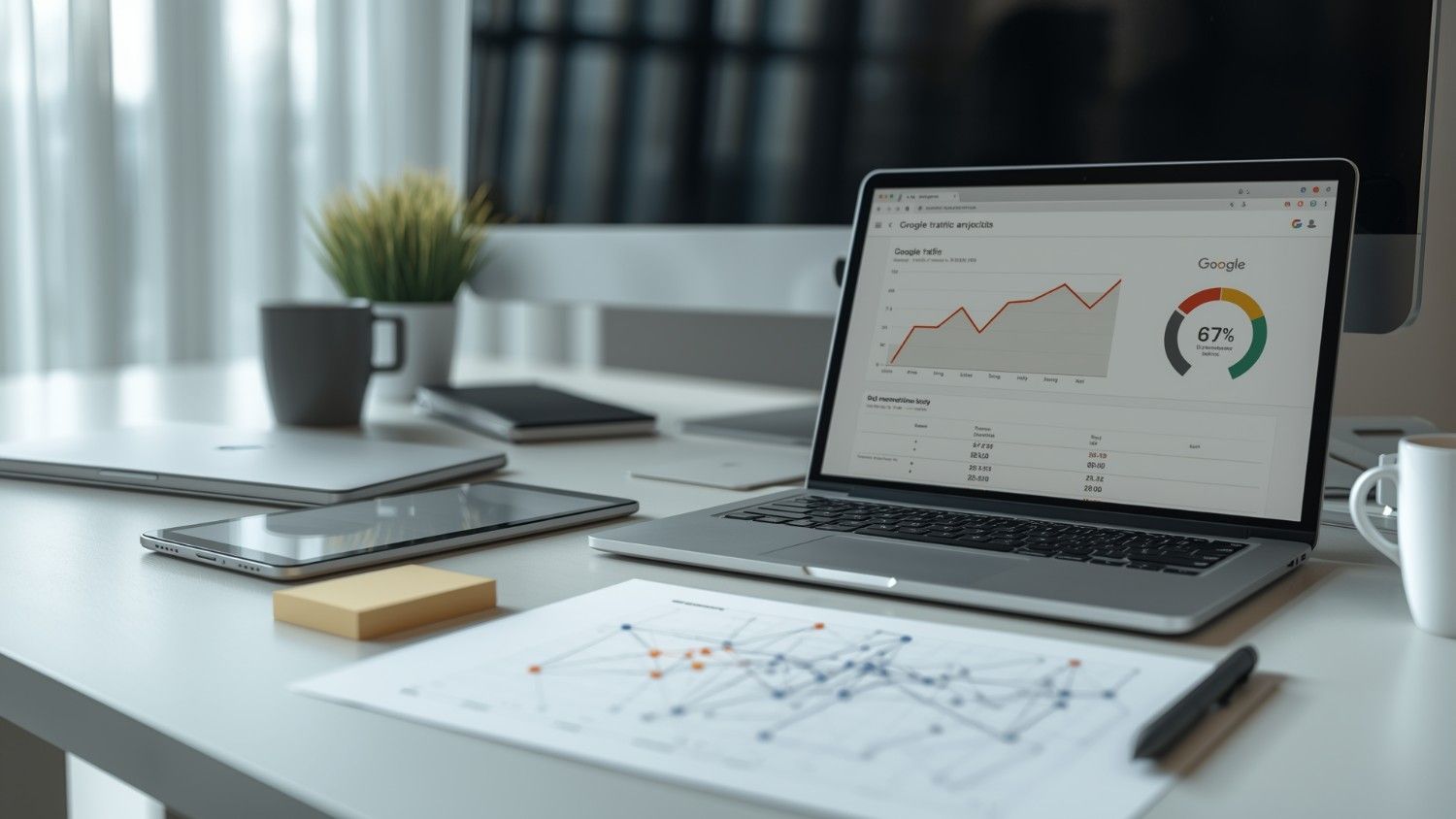
Content quality and usefulness problems
- Thin or generic pages with little original value
- Repetitive sections that don’t add new help
- Outdated content that no longer matches search intent
- Keyword cannibalization (multiple pages targeting the same topic)
Technical SEO issues
- Slow server response time (TTFB) or heavy pages
- Mobile performance problems
- Core Web Vitals slipping (LCP/INP/CLS)
- Indexing issues after themes, plugins, or migrations
Toxic backlinks and spam signals
- Spam directories and irrelevant sites linking to you
- Unnatural anchor text patterns
- Sudden backlink spikes (aggressive link building or negative SEO)
As a result, the recovery phases in this guide map directly to these causes: content → technical → links.
Step-by-Step Google Update Recovery Plan (90 Days)
Here’s a practical 90-day workflow you can follow. First, diagnose what changed, then improve content and trust signals, and finally tighten technical SEO and link risk—while tracking progress along the way.
Phase 1: Diagnose and Analyze (Days 1–30)
- Confirm the Impact: Use Google Search Console to check if traffic drops align with update dates. Compare 28 days before and after the update.
- Identify Affected Pages: Focus on pages with the largest decline in clicks and impressions.
- Analyze Competitors: Tools like Ahrefs and SEMrush help see which Bangladeshi competitors gained traffic and what strategies they used.
- Check for Manual Actions: Confirm no penalties under “Security & Manual Actions” to rule out manual interventions.
By Day 30, you should have:
- A list of the top 10–20 losing pages + queries
- A likely cause for each page (intent gap / technical / links)
- A prioritized fix list (highest impact first)
Phase 2: Content & E-E-A-T Improvements (Days 31–90)
- Audit Content: Remove or improve thin pages (avoid focusing only on word count—prioritize usefulness). Add originality using case studies, local examples, or first-hand insights.
- Strengthen E-E-A-T: Enhance author profiles with credentials, provide local trust signals on About & Contact pages, and fix keyword cannibalization.
- Refresh Evergreen Content: Update outdated content to maintain relevance.
Content upgrade checklist:
- Add steps + a quick checklist
- Add “who this is for” + common mistakes
- Add proof (screenshots, mini case study, outcomes)
- Improve internal links (topic cluster support)
- Align titles/H2s with intent (not just keywords)
Phase 3: Technical SEO + Link Profile Cleanup
- Core Web Vitals: Improve site speed, particularly Largest Contentful Paint (LCP) under 2.5 seconds.
- Mobile Optimization: Ensure responsiveness and fast mobile loading.
- Clean Backlink Profile: Audit backlinks using Ahrefs or SEMrush and disavow toxic or spammy links (only confirmed toxic patterns).
Backlink Cleanup SOP
- Export backlinks (Ahrefs/SEMrush + GSC)
- Classify: natural / low-quality / toxic
- Try removal for toxic links if realistic
- Disavow only confirmed toxic/manipulative patterns
- Monitor monthly for new spikes or anchor abuse
Technical/UX Micro-Checklist (keep it short)
- Fix indexing errors (404/5xx, wrong canonicals, robots/noindex)
- Reduce intrusive popups/ads that hurt the experience
- Ensure About/Contact/Privacy pages are complete (trust signals)
Phase 4: Long-Term Strategy & Patience
- Wait for Updates: Recovery often requires one or more update cycles (2–3 months, sometimes up to 6–12 months).
- Focus on User Intent: Align content with searcher queries, not just keywords.
- Diversify Traffic: Supplement organic search with social media and email marketing to maintain stability.
SEO Recovery Tracking Dashboard (GSC + GA4)
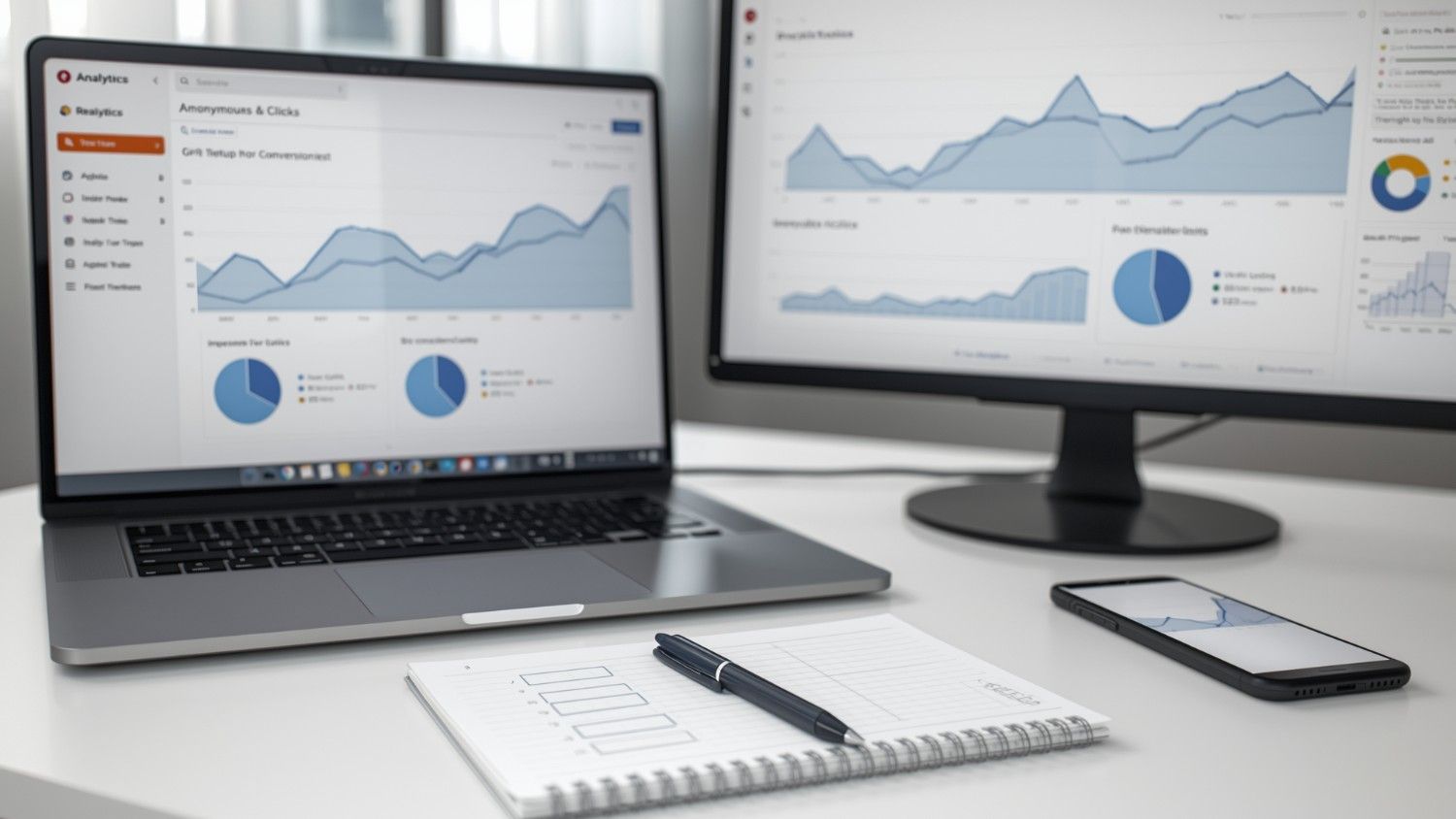
- Google Search Console: Track indexing, impressions, CTR, and page-level performance
- Google Analytics (GA4): Monitor organic traffic, landing pages, engagement, conversions
- Ahrefs / SEMrush: Analyze backlinks, competitors, and keyword visibility
Weekly Tracking (minimal but effective):
- Top 10 loser pages: position + clicks trend
- Indexing errors count
- Organic conversions/leads (not just sessions)
How Long Google Update Recovery Takes (Timeline)
Recovery time depends on how deep the issues are. In general, here are common ranges you can expect:
| Update type | Typical recovery time | Notes |
| Minor update | 2–4 weeks | Small fixes may lift traffic quickly |
| Core update | 6–12 weeks | Usually needs content + quality improvements |
| Helpful content | 4–8 weeks | Focus on usefulness and originality |
| Manual action | 1–3 months | Often requires a reconsideration request |
Common Mistakes to Avoid
- First, don’t improve content while ignoring technical SEO issues that block crawling or hurt speed.
- Next, avoid aggressive disavows unless you have clear evidence that the links are toxic.
- Also, don’t change everything at once—track results so you know what actually worked.
- Finally, skip keyword stuffing; focus on helpful answers and clear intent coverage instead.
Google Update Recovery Case Study Bangladesh
A Dhaka-based e-commerce site lost ~40% organic traffic after a major update. For more real results, explore our case studies. So the team focused on the highest-impact fixes first:
- Expanded thin category pages to better match search intent
- Improved mobile speed and caching
- Merged overlapping blog topics and strengthened internal links
- Disavowed only clearly toxic directory links
As a result, clicks and impressions rebounded significantly within about 8 weeks—showing that Google algorithm update recovery works best when content, technical SEO, and link risk are improved together.
How to Prevent Ranking Drops After Google Updates
- First, run a monthly mini-audit on top pages (Core Web Vitals + indexing).
- Next, keep topic clusters and internal links updated to reinforce relevance.
- Also, monitor backlinks regularly and act only on clearly risky patterns.
- Finally, refresh key evergreen pages every quarter and keep local trust signals (NAP/contact) consistent.
Frequently Asked Questions
How long does Google algorithm update recovery take?
Minor updates may recover in 2–4 weeks, but core updates often take 6–12 weeks or more, depending on site quality and competition.
How do I identify toxic backlinks?
Use Ahrefs or SEMrush to find spam directories, irrelevant sites, unnatural anchors, and suspicious spikes in referring domains.
Can content updates alone restore rankings?
Sometimes, but many sites need combined improvements: content usefulness + technical health + internal linking + link risk management.
How do I confirm an update caused the drop?
Compare performance in GSC across 28-day windows and verify there are no manual actions, security warnings, or indexing errors.
Should I hire an agency?
Agencies help with audits and execution, but small sites can implement this recovery plan independently with consistent tracking.
Conclusion & Next Steps
Recovering from a Google algorithm update in Bangladesh works best with a phased plan—and it helps to follow Google Search Central guidance. First, diagnose what dropped and why. Next, improve content usefulness and E-E-A-T with real examples and trust signals. Then, fix technical SEO and indexing issues, and manage backlinks carefully (disavow only confirmed toxic links).
Finally, track progress weekly—because Google algorithm update recovery improves as Google re-crawls and reassesses your site over time. For a tailored recovery checklist and audit support, Branding Dask can help.

Business Growth Expert with 7+ years of experience driving scalable growth through full stack digital marketing, including SEO, SEM, paid ads, AI automation, and content led strategies.